MEDIA NAV EVOLUTION AND R-LINK 2

Make your daily life easy!

Equipment, features, updates, compatibility and more. Find out everything you need to know about your Media Nav Evolution and R-LINK 2 multimedia systems.
Media Nav Evolution and R-LINK 2 updates
update your maps

By clicking here, you will be redirected to the Naviextra partner site. 

equipment
 7" touch screen - Renault Connect
7'' touch screen
The R-LINK 2 Multimedia system is equipped with a large 7" vertical touch screen with a graphic interface similar to tablets and proven durability. 
Precision gestures and prefect integration into the dashboard ensure optimum driving safety.  
  • Multitouch available for GoogleMaps and Android Auto™ 
  • Multitouch not available with Carplay
  • Multitouch not available with native navigation
    touch screen - Renault Connect
    Numerous audio sources
    Find your favourite radio stations (up to 12 stations) and listen with one click on the screen or the steering column controls. You can also enjoy your music using Bluetooth® or the USB and Jack sockets.
    Bluetooth system - Renault Connect
    On-board telephony
    Make and answer calls in full safety thanks to Bluetooth® pairing*.

    * Up to 5 phones connected.
    features
    Siri voice recognition - Media nav evolution Renault
    Siri voice recognition
    With your compatible iPhone (iPhone 5 and iOS 7.1 and above), make calls to your contacts in complete safety using the steering wheel controls.
    Android Auto™ for Media Nav Evolution
    Android Auto™ for Media Nav Evolution*
    Find the best applications specially designed for use while driving on your smartphone equipped with Android 5 or above. Google Maps will guide you on the Media Nav Evolution screen. You can also dictate messages and rapidly access your favourite music.

    Don't forget to activate your phone's mobile data and to connect the USB cable at the front using a cable approved by the manufacturer.

    * Available depending on model and date of manufacture.
    Apple Carplay™ for Media Nav Evolution
    Apple CarPlay™ for Media Nav Evolution*
    Find the best applications installed on your iPhone on the Media Nav Evolution screen (iPhone 5 and iOS 7.1), approved by Apple for use while driving. Using the approved cable, connect your iPhone to the USB jack for effortless enjoyment of your music. You can read and dictate your messages, make calls or launch an itinerary with the greatest of ease. 

    Remember to enable mobile data to take advantage of Apple CarPlay ™ on board.

    * Available depending on model and date of manufacture.     
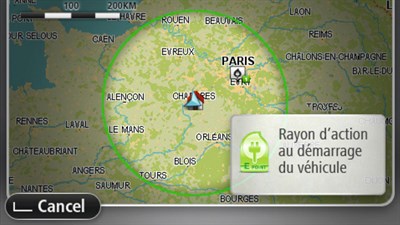
    Western Europe maps
    Western Europe maps*
    Navigate with peace of mind and enjoy the quality of HERE mapping. Keep up to date with 2 new map versions available per year. 

    By clicking on the button below, you will be redirected to the Naviextra partner site.

    TMC traffic info via radio - Renault Connect
    TMC traffic info via radio
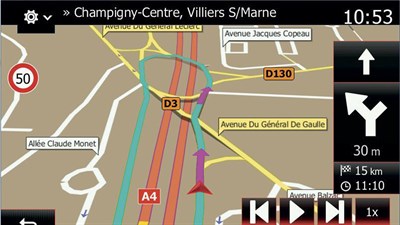
    Benefit from TMC traffic info over the radio airwaves to get you to your destination without any difficulty.
    Advanced lane guidance - Renault Connect
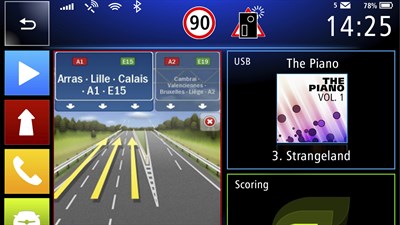
    Advanced lane guidance
    For complex road junctions, follow guidance directly on screen towards the lane required.

    answers to all of your questions about Media Nav Evolution
    *By clicking on this button, you will be redirected to the Naviextra partner site.     

    e-store
    Add to your range of connected services from our online store.

    Renault Iraq · Al-Bilad Al-Mutahida

    Media Nav Evolution

    Your guide to Media Nav Evolution: touchscreen, audio, phone pairing and map updates.

    Media Nav Evolution

    Get to know your system

    Touchscreen and audio

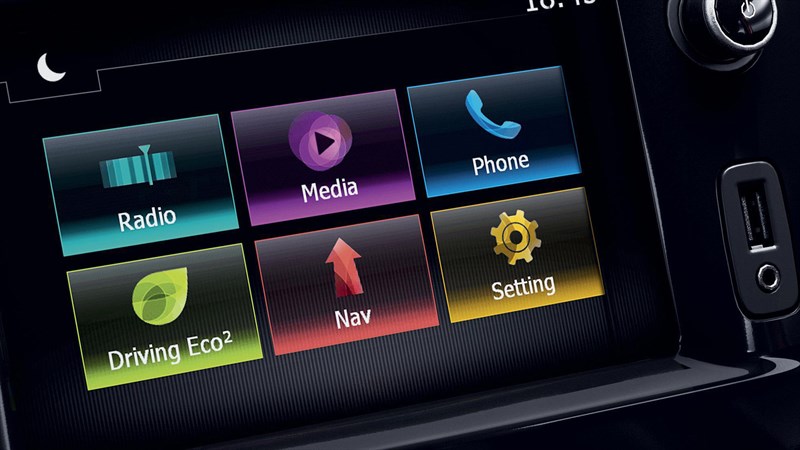
    Access radio and compatible Bluetooth or USB audio through the 7-inch screen.
    Smartphone connection

    Apple CarPlay and Android Auto depend on model and production date. A suitable data cable and compatible phone are required.

    Maps for your destination

    Check supported regions, availability and the correct update route before purchasing maps.

    Illustrative system image. Vehicle equipment may differ.

    The right information for your vehicle

    Equipment, smartphone compatibility, maps and connected services vary by model, production date, software version and market. Ask Renault Iraq to confirm what is available for your vehicle.

    01

    Identify your system

    Check the system name in your vehicle handbook or multimedia settings.

    02

    Check compatibility

    Confirm the vehicle specification, phone model and software version.

    03

    Choose the right support

    Follow guidance for that system, or call 6677 for assistance.

    Your questions, answered

    How do I identify my system?

    Check the multimedia settings and the handbook supplied with your vehicle. If unsure, send the system name or a photo of its home screen to the service team.

    Will every feature work on my Renault?

    Availability depends on the installed equipment, software and market. A software update does not automatically add hardware-dependent functions.

    Can I use connected-service offers from France?

    Please confirm availability in Iraq with the local team before subscribing or purchasing.

    System information — Renault France (French) ↗

    French-market information is a technical reference. Local equipment and service availability must be confirmed with Renault Iraq.

    Help with your Renault, here in Iraq

    Al-Bilad Al-Mutahida, the official dealer for the French Renault brand in Iraq. Have your model, year, system name and software version ready when contacting the team.