Radio Connect R&Go system

Features, services, compatibility... Find out all you need to know about your Connect Radio R&Go system.
R&Go app
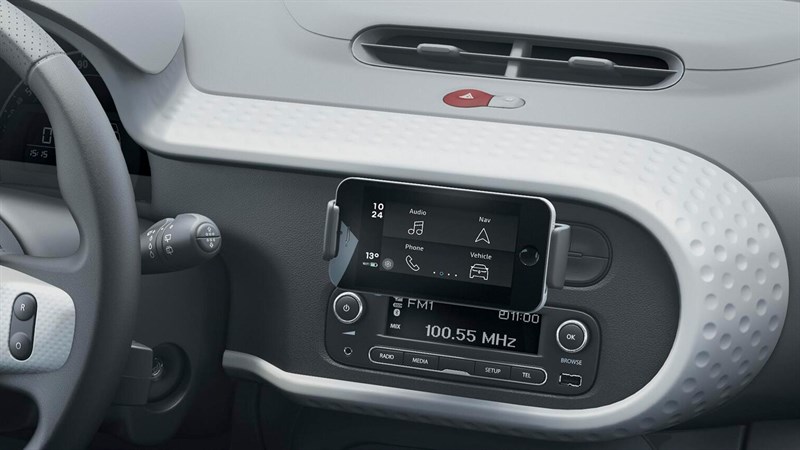
Its 4-button interface: Phone, Audio, Vehicle and Navigation, is designed to help you discover a new way of using your smartphone with your Renault.

Easily access your phone and vehicle features with an ergonomic, intuitive interface!

navigation - Radio Connect R&Go
navigation
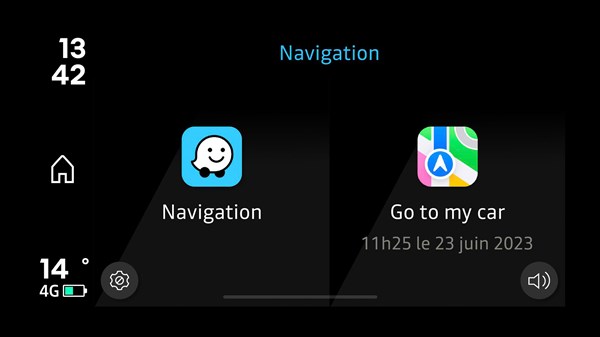
Quickly access your navigation app and get all your information at a glance.

Stop wasting time searching for your parked car—let the "Go to my car" feature guide you straight to it.

audio & radio - Radio Connect R&Go
audio & radio
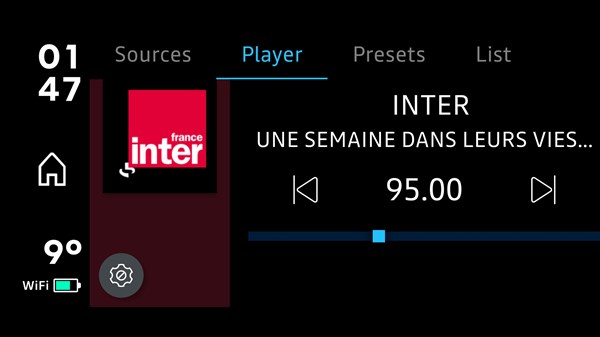
Access the radio and control volume, stations, music, and other audio media directly from the R&Go app.
Enjoy an intuitive interface that lets you seamlessly switch between your favourite radio stations and personal playlists. Effortlessly adjust the volume or skip tracks directly from the app.

The R&Go app also lets you discover new stations tailored to your preferences. Whether you're in the city or on the road, your audio experience is always in your hands.

phone - Radio Connect R&Go
phone
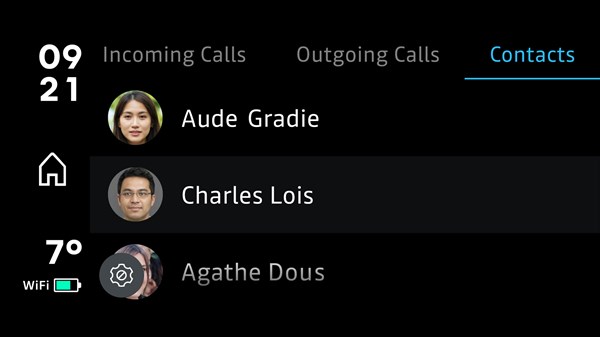
Easily make and receive calls while driving with the intuitive interface of the R&Go app.
The built-in Bluetooth connection ensures quick syncing with your smartphone, so you never miss an important call. The clear and user-friendly interface makes it easy to manage your contacts and calls effortlessly.

You can also access your call log directly from the app.

vehicle - Radio Connect R&Go
vehicle
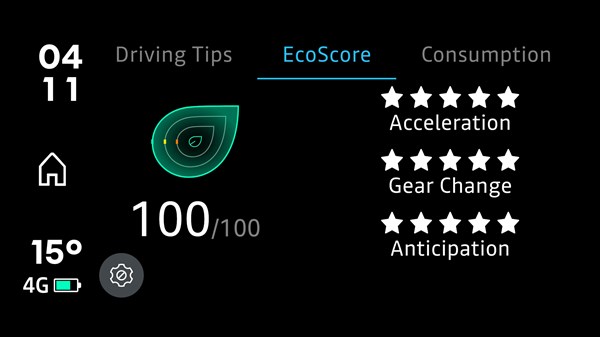
Read our driving tips and test yourself with the EcoScore driving style widget.
The R&Go app offers personalised recommendations and lets you track your performance in real time.

This interactive widget helps you develop more eco-friendly and economical driving habits.

design & customisation - Radio Connect R&Go
design & customisation
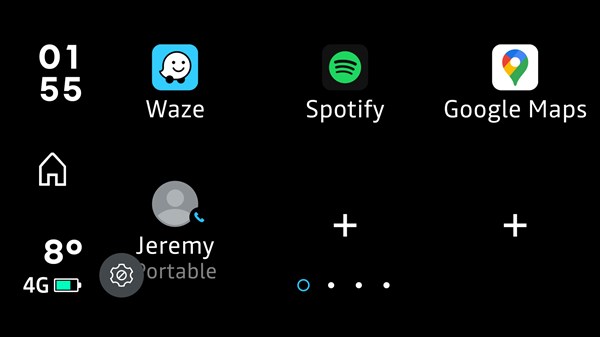
Personalize your interface with shortcuts to addresses, contact numbers and favourite apps.

Add widgets for quick access to essential vehicle information, such as oil level and EcoScore.

also discover

Renault Iraq · Al-Bilad Al-Mutahida

Radio Connect R&Go

Bring phone, audio, vehicle information and navigation together through the R&Go app on a compatible smartphone and radio.

Radio Connect R&Go

Get to know your system

Four useful areas

Access phone, audio, vehicle and navigation functions through the app.
Connect your phone

R&Go works with a compatible radio and Bluetooth connection. Check the current app’s device and regional availability.

Make it your own

Use supported shortcuts and preferences. Available vehicle information depends on the equipment.

Illustrative system image. Vehicle equipment may differ.

The right information for your vehicle

Equipment, smartphone compatibility, maps and connected services vary by model, production date, software version and market. Ask Renault Iraq to confirm what is available for your vehicle.

01

Identify your system

Check the system name in your vehicle handbook or multimedia settings.

02

Check compatibility

Confirm the vehicle specification, phone model and software version.

03

Choose the right support

Follow guidance for that system, or call 6677 for assistance.

Your questions, answered

How do I identify my system?

Check the multimedia settings and the handbook supplied with your vehicle. If unsure, send the system name or a photo of its home screen to the service team.

Will every feature work on my Renault?

Availability depends on the installed equipment, software and market. A software update does not automatically add hardware-dependent functions.

Can I use connected-service offers from France?

Please confirm availability in Iraq with the local team before subscribing or purchasing.

System information — Renault France (French) ↗

French-market information is a technical reference. Local equipment and service availability must be confirmed with Renault Iraq.

Help with your Renault, here in Iraq

Al-Bilad Al-Mutahida, the official dealer for the French Renault brand in Iraq. Have your model, year, system name and software version ready when contacting the team.